Card Maker for PKM (Poke Fan)
- 4.1
- Rating
- 1.00M
- Installs
- Free
- Price
 Analysis by App-foxy
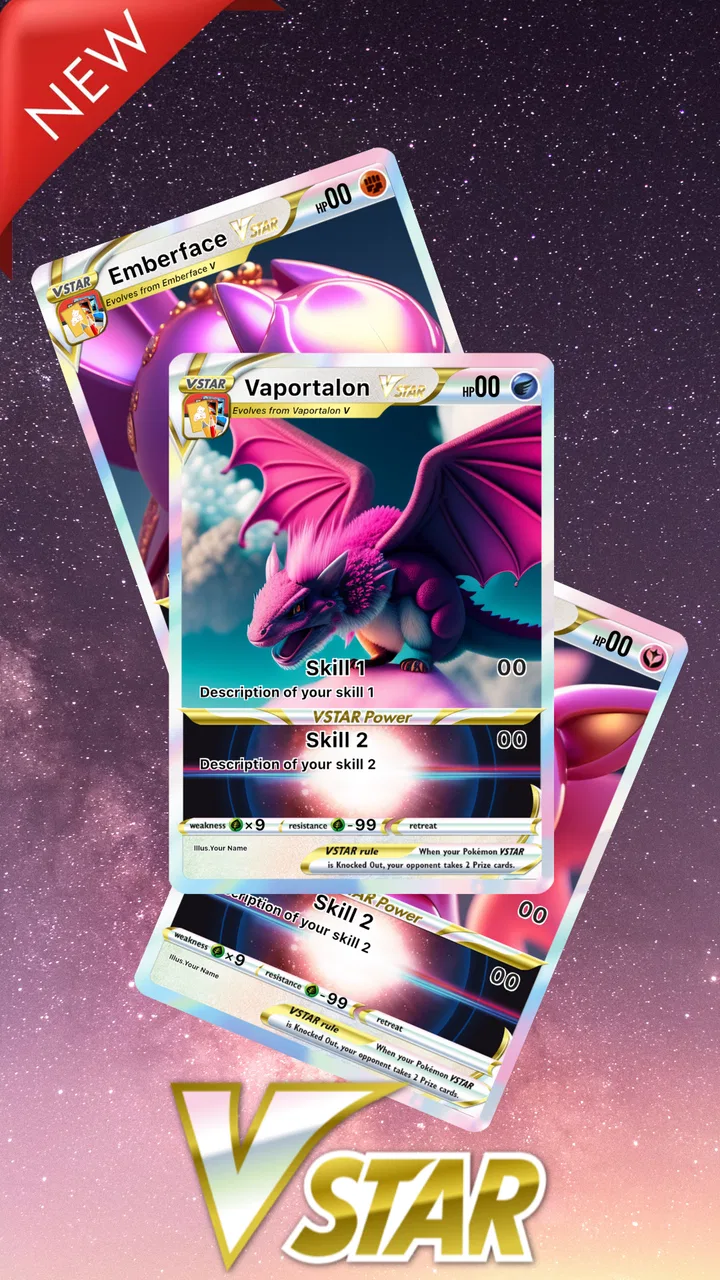
I tried Card Maker for PKM (Poke Fan) as a creative tool for making custom trading cards, and its appeal became clear almost immediately: it turns a familiar card format into a small design project. Instead of only browsing or collecting cards, I could build a card around an original creature, a joke between friends, a favorite pet, or a themed household challenge. It is a Comics app from JoyCraft Digital, but I found it works just as well as a casual creative activity for people who enjoy card games and visual customization.
The app is free to install, with optional in-app purchases priced from $1.99 to $4.99 per item. It is rated Teen, which matters if you are considering it for a shared phone or tablet. The current version is 2.7.5, and it requires Android 8.0 or later. Its audience is already fairly large, with more than a million installs, while its average rating sits at 4.1 from roughly twenty-two thousand ratings. Those figures suggest a well-established fan-made card creator rather than a tiny experiment, though they should not be mistaken for the depth or polish of an official card-game editor.
Making a card becomes a shared creative activity
The most enjoyable way I used the app was not alone, but with another person sitting nearby. One person suggested the character, another chose the artwork, and a third helped invent the attack names or flavor text. That simple division made the editor feel less like a solitary utility and more like a quick tabletop activity. A child might design a card for the family dog, while an older sibling creates a deliberately overpowered card for an imaginary tournament. The result is something everyone can discuss, revise, and share.
You May Also Like

 AccuWeather: Weather Radar
AccuWeather Review: A Quick, Clear Forecast for Everyday Decisions
For everyday plans, the best forecast is the one you can understand quickly. AccuWeather makes rain timing, radar, and local conditions easy to act on, with a few trade-offs.

 Hill Climb Racing
Why Hill Climb Racing Still Turns Crashes Into One More Run
A tiny car, a bumpy hill and one more upgrade: Hill Climb Racing keeps resurfacing because its simple chaos makes every near-miss feel personal.

 AliExpress - Shopping App
AliExpress Makes Global Shopping Feel Personal, but Shoppers Bear the Risk
AliExpress turns a global marketplace into a pocket-sized discovery engine. Its reach is useful, its shopping loop compelling, and its trade-offs easy to miss.

 Lords Mobile: Kingdom Wars
Lords Mobile Is a Kingdom-Building Routine, Not a Quick Match
A case-by-case verdict on the building, battles, device demands, and social commitments that make Lords Mobile rewarding for some players and exhausting for others.

 PDF Scanner app - TapScanner
TapScanner Makes Paperwork Easier to Capture, Check, and Share
TapScanner makes scanning with a phone feel less like a rescue operation and more like a dependable step in getting work done. Its capture tools are useful, though not flawless.

 Block Blast!
 Shows How Much a Puzzle Game Can Leave Out
A quiet grid game shows why puzzle players increasingly value instant clarity, repeatable skill and low-pressure play—and where the genre still needs to catch up.
More From Our News Desk
View All News


This shared-device use also exposes an important boundary: the app is a card-making tool, not a complete replacement for a physical trading-card game. Creating a card does not automatically make it balanced, official, or usable in a sanctioned collection. I would treat the finished image as a personal design, a joke, a keepsake, or a homemade play aid. If your household wants to run a real custom-card battle, agree on the rules separately before anyone starts arguing about whether a homemade attack is fair.
I found that the strongest household workflow was to decide the card’s purpose before opening the editor. A birthday card, a silly family award, and a serious custom battle card need very different levels of detail. For a quick joke, spending too long adjusting every field takes the fun out of it. For a card intended to be printed or shown repeatedly, it is worth slowing down, checking spelling, and making sure the main image remains readable at a smaller size.
What the first session feels like
The basic idea is easy to understand: choose or customize the elements of a card, shape the identity of the character, and share the finished creation. I did not need to learn a complicated game system before experimenting. That low barrier is one of the app’s real strengths. Someone who has never designed a card before can begin by copying the visual structure they already recognize, then gradually make more unusual choices.
My advice is to start with a deliberately simple card. Pick one clear image, a short name, and a single memorable ability. This gives you a useful sense of the layout before you spend time refining a complicated concept. A common mistake with creative editors is adding every idea at once. In this app, a crowded card can become harder to read and less convincing, even when each individual element seemed fun during editing.
Another practical tip is to keep a short note outside the app while working on a serious design. Write down the card name, the intended personality, and the one thing the card should be known for. That prevents the design from drifting into a collection of unrelated effects. It is especially useful when several people share the device and keep suggesting new additions.
Keeping household projects separate
Because this is the sort of app people may pass around on one phone, I would establish a simple handoff routine. Before another person starts editing, save or share the current result if you want to preserve it, then make it clear whose project is open. Without that habit, a younger user can easily change a sibling’s design by mistake, or a parent can assume a card is finished when someone else still considers it a draft.
I would not treat the app as a place for separate personal accounts or carefully divided family workspaces. The safer assumption for shared use is that the device and the current editing session are the boundary. If several people are creating cards, give each project a distinctive name and save finished versions promptly. A small naming system such as “Maya pet card” or “Saturday dragon draft” is more useful than relying on memory.
That approach also helps when the app is used at a party or during a family activity. One person can act as the editor while others dictate ideas, then the group can review the final card before it is shared. It reduces accidental changes and makes the process feel collaborative rather than competitive. The app is at its best when everyone agrees that the goal is making something amusing or imaginative, not proving which person can dominate the editor.
Creative control, practical limits, and everyday coordination
I find the best way to use a custom-card editor is to agree on the project’s purpose before anyone starts adding details. A quick family joke benefits from a different level of polish than a draft you plan to print or share with a wider group, and that choice also helps keep editing focused. With those expectations set, the next step is deciding how to manage a shared device and keep each person’s work clear.
Where the editor is genuinely useful
The app works particularly well for personal themes that official cards would never cover. I could imagine using it to make a card for a pet, a fictional family mascot, a school-project character, or a favorite food. That flexibility gives it a different role from simply collecting ready-made cards. The value is in translating an idea into a recognizable card format, with enough visual structure to make the finished piece feel like an object rather than a plain picture with text on top.
It is also useful for planning a custom card before making a physical version. I would use the app to test names, artwork choices, and the general balance of information. The digital draft lets you spot problems early: a title that is too long, an ability that needs clearer wording, or an image that does not communicate the character’s role. Even if you ultimately want a handmade card, this gives you a quick visual reference.
For children and teenagers, the creative challenge can be more valuable than the final image. They have to make choices about emphasis, tone, and clarity. A parent can ask why a particular ability belongs to the character or whether another person would understand the card without an explanation. Those conversations turn a casual app into a small exercise in writing and design without making it feel like homework.
Sharing is part of the experience, but it needs judgment
The app is built around creating and sharing cards, so the natural next step is showing the result to friends or family. Before doing that, I would check the card carefully. Look for personal names, faces, school references, phone numbers, or inside jokes that might not be appropriate outside the intended group. A card featuring a pet is usually harmless, but a card based on a real child or a private family event deserves more care.
This is especially important on a shared device. The person who creates the card may not be the person who eventually sends or displays it. Agreeing on the audience first avoids an awkward situation where a private joke is shared more widely than expected. I like the app as a tool for controlled, person-to-person sharing, but I would not encourage automatic public posting of every household creation.
There is also a useful distinction between sharing a finished image and handing someone the device to continue editing. Sharing the finished result keeps the original project under the creator’s control. Passing around an open editor invites accidental changes, duplicate drafts, or confusion about which version is final. For group projects, I would nominate one person as the final editor and let everyone else contribute suggestions.
Teen rating and age context
The Teen content rating means I would not present this as an automatically suitable children’s app simply because the activity looks playful. The rating should be part of the household decision, particularly when a young user is working alone or sharing creations beyond the family. The right choice depends on the child’s age, maturity, and the kind of images or text they plan to create.
For a teenager, the app can be a comfortable creative outlet, especially when an adult takes an interest in the process rather than supervising every design. For a younger child, I would use it together at first. That gives you a chance to explain what information should stay private, how to handle images of real people, and why a custom card should not be presented as an official product.
I also think the Teen label makes the app a poor fit for an unsupervised shared tablet in a household with very young children. The issue is not the card-making concept itself; it is the broader context of user-created material and sharing. If you want a completely controlled activity for preschool-age users, a simpler drawing app or an offline coloring tool would be a better match.
Purchases and shared-device boundaries
Although the app is free, optional purchases cost between $1.99 and $4.99 per item. That is manageable for an individual who understands the purchase flow, but it deserves a clear household rule when several people use the same device. I would decide in advance whether purchases are allowed, who approves them, and whether a child should ask before selecting anything that costs money.
Do not assume that a free download means every creative option is free. A child may see a desirable item while designing and interpret the app as part of a shared family device rather than as a purchase-enabled service. A short conversation before the first session is enough: use the free tools freely, but stop and ask before buying anything. That boundary is more useful than discovering an unwanted charge afterward.
Shared use also makes it important to distinguish a creative limitation from a purchase limitation. If someone cannot complete a design without an optional item, that may change the project’s scope, but it does not mean the card is ruined. I usually prefer adapting the concept with the available tools first. That keeps the activity focused on imagination instead of turning every design decision into a shopping decision.
How it compares with familiar alternatives
Compared with a general drawing app, this editor gives the project a ready-made card identity. You do not have to manually construct every border, information area, or visual convention from scratch. That makes it faster for someone who wants the recognizable look of a trading card rather than a blank canvas. The trade-off is reduced freedom: a drawing app is better when you want complete control over composition, typography, or an illustration that does not fit a card template.
Compared with official trading-card apps or the physical card game itself, this is much more about expression than competition. It is a good choice for inventing characters and sharing playful designs, but not the right tool if your main goal is checking an official collection, managing a legitimate deck, or following tournament rules. A physical card also has a tactile quality and a clearer sense of ownership that a digital creation cannot fully reproduce.
Compared with a generic meme maker, the card format gives the joke a stronger frame. A family member is not merely turned into a picture with a caption; they can become a character with a role, a weakness, and a signature ability. That extra structure encourages more thoughtful ideas. On the other hand, a meme tool may be faster for a one-line joke, so I would choose this app when the card format itself is part of the fun.
Small design habits that improve the result
One non-obvious lesson is that readability matters more than detail. When several people are contributing, everyone wants to add another ability, symbol, or line of flavor text. I found that the best cards usually have a clear visual priority: the character is easy to identify, the name is easy to read, and the main ability can be understood without zooming in. Removing an unnecessary line often improves the card more than adding another decorative element.
A second useful habit is to separate the creative pass from the checking pass. During the first pass, allow silly names and exaggerated ideas. During the second, review spelling, consistency, and whether the card’s text matches the character. This prevents the editor from becoming a constant argument about tiny details. It also makes group use smoother because everyone knows when suggestions are welcome and when the design is being finalized.
A third trade-off concerns realism. A card can imitate the appearance of a familiar trading-card style without pretending to be an official card. I recommend adding a personal twist that makes its origin obvious, such as a family theme or an original character concept. That keeps the project honest and gives it more personality than simply trying to copy an existing card as closely as possible.
Who should use it, and who should skip it
I would recommend it to fans who enjoy inventing characters, families looking for a short shared activity, teenagers who like visual jokes, and anyone who wants to turn an idea into a custom card without learning professional design software. It is also a useful companion for a homemade card project, because digital drafts are quicker to revise than paper versions.
I would skip it if you want an official card database, a competitive deck-building environment, or a fully featured illustration studio. It is not the best choice for someone who dislikes templates or expects every custom card to behave like a formally tested game component. I would also look elsewhere for a very young child who needs a tightly controlled, offline creative experience.
For households, the decision comes down to coordination. The app can work beautifully on one shared device when everyone understands whose project is open, what may be shared, and when purchases require permission. Without those simple agreements, the same flexibility that makes it fun can produce overwritten designs, accidental sharing, or arguments about ownership.
My household verdict
After using it as both a personal editor and a shared creative activity, I see Card Maker for PKM (Poke Fan) as a focused fan tool with more value than its short store description suggests. Its strongest quality is not that it replaces a real card game; it is that it gives ordinary ideas a playful structure. A pet, a family joke, or an imaginary hero becomes easier to discuss when everyone can see it represented as a card.
The free entry point makes it easy to try, while the optional purchases mean shared-device rules are worth setting before anyone starts designing. The Teen rating also calls for age-aware use rather than automatic approval for every child. If you keep the audience, privacy, and editing boundaries clear, the app can support a surprisingly enjoyable household project.
My final recommendation is simple: use it when the goal is to create, laugh, and share a custom card with people you trust. Choose a general art app for unrestricted design, an official card app for legitimate game management, or physical materials when the finished object matters more than the digital process. For fans who want a quick bridge between imagination and the familiar trading-card format, this app earns a place on the device.
FAQs for Card Maker for PKM (Poke Fan)
01What is Card Maker for PKM and what can I do with it?
Card Maker for PKM is a creative application that allows users to design and customize their own trading cards. It provides a wide range of templates, images, and editing tools to create personalized cards with unique text, effects, and designs. Ideal for fans of trading card games, it offers endless creative possibilities.
02Is Card Maker for PKM free to download and use?
The app is free to download on both Android and iOS platforms. However, it may offer in-app purchases or premium features to enhance the user experience. These can include additional templates, advanced editing tools, or the removal of ads. Be sure to review any costs before purchasing.
03Do I need internet access to use Card Maker for PKM?
While the app can be used offline to create and edit cards, an internet connection may be required for certain features. These could include accessing additional templates, downloading updates, or sharing creations on social media. For full functionality, occasional internet access is recommended.
04Can I print my cards directly from the app?
Yes, Card Maker for PKM allows you to save your creations in high-resolution formats suitable for printing. You can export your cards and print them directly from your device or transfer them to a computer for printing. Ensure your printer settings are adjusted for the best quality output.
05Is Card Maker for PKM suitable for children?
Card Maker for PKM is generally suitable for users of all ages, but parental guidance is recommended for younger children. The app's interface is user-friendly, but parents may want to oversee any in-app purchases or sharing features to ensure a safe and enjoyable experience.
Pros
- Easy to use interface for quick card creation.
- Wide range of customization options available.
- Supports high-quality card exports.
- Regular updates with new features.
- No internet required for basic functions.
Cons
- Limited free version features.
- Occasional ad interruptions.
- Some templates require in-app purchases.
- Lacks social sharing integration.
- No option for collaborative card creation.

Card Maker for PKM (Poke Fan)
Gallery